# User Management

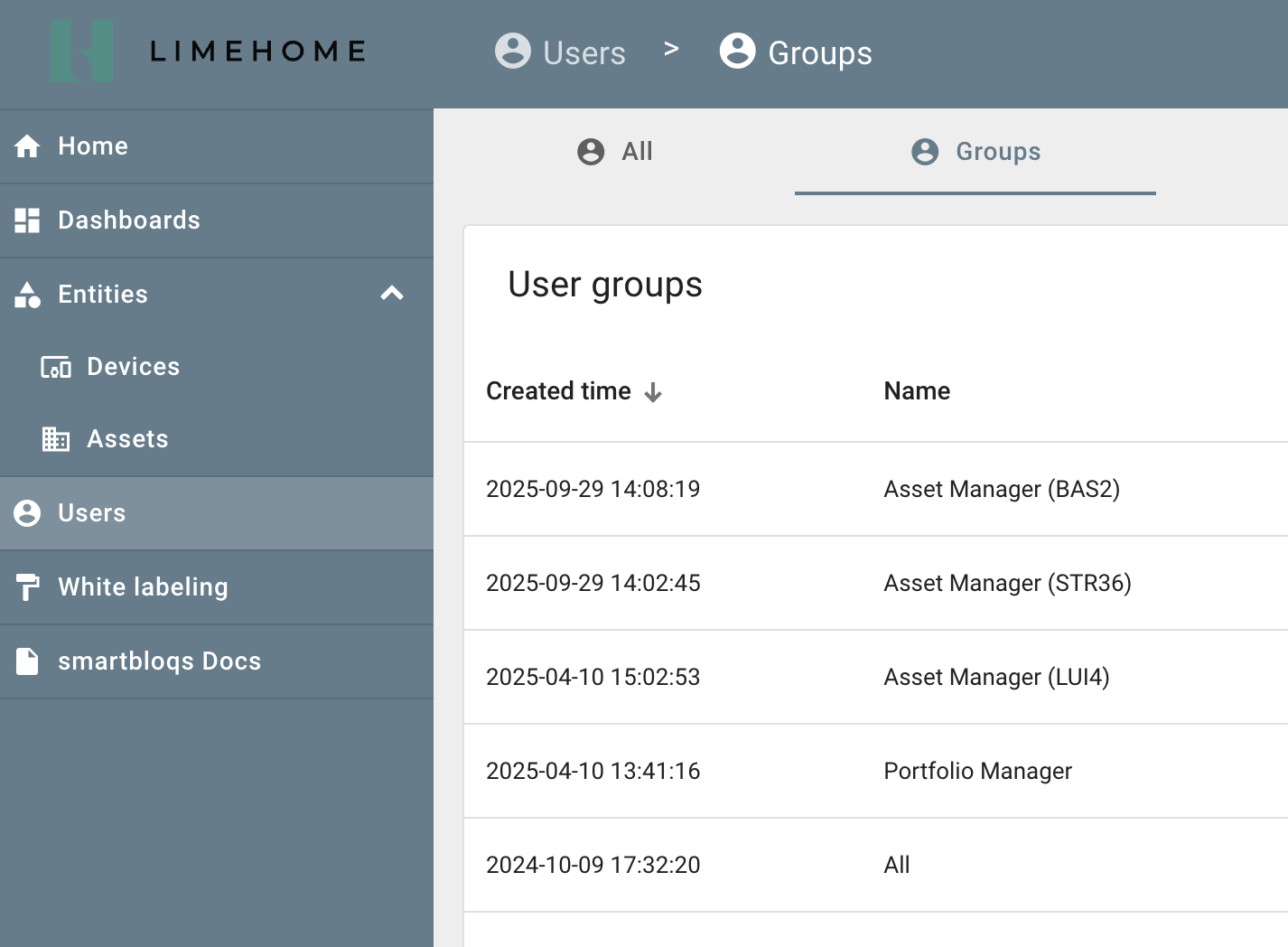
Als Benutzer-Administrator des Dashboards können auch weitere Nutzer angelegt und verwaltet werden. Dafür stehen die folgenden Gruppen zur Verfügung:

| Rolle             | Beschreibung                                                                                               |
| ----------------- | ---------------------------------------------------------------------------------------------------------- |
| Asset Manager     | Zugriff auf alle Dashboards und Devices eines bestimmten Standorts/Assets                                  |
| Portfolio Manager | Zugriff auf alle Dashboards und Devices des Standorts sowie Zugriff auf Whitelabelling und User Management |

<div data-with-frame="true"><figure><img src="/files/KbKD5xg5Od5Jjlj6fxkT" alt="unterschiedliche Nutzerrollen"><figcaption></figcaption></figure></div>

Nutzer können per kopierbarem Aktivierungslink manuell verschickt oder per Mail zugesandt werden:
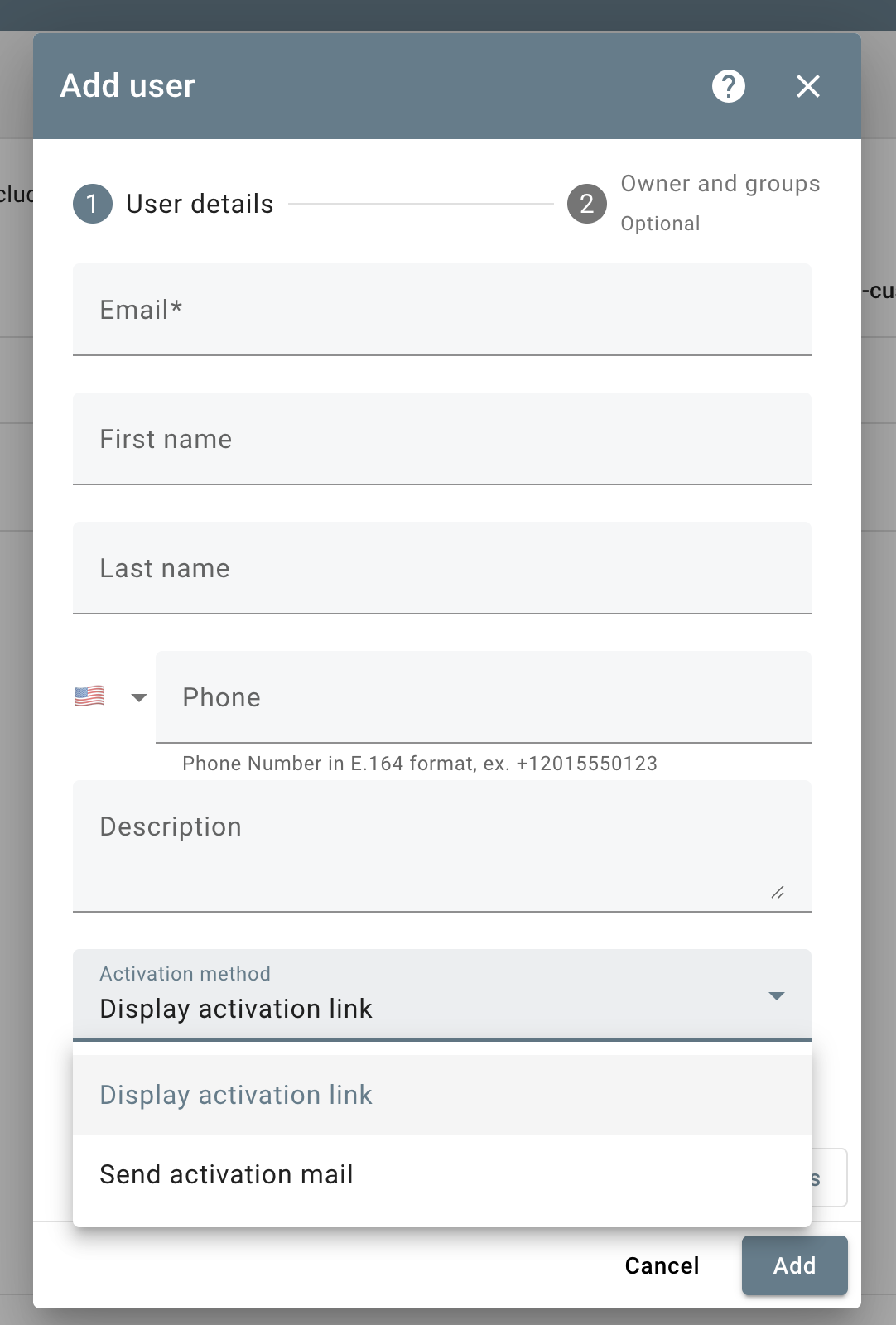
<div align="left" data-with-frame="true"><figure><img src="/files/w0T6pC66hjtvlAFwn9SP" alt="Anlageprozess eines Nutzers" width="375"><figcaption></figcaption></figure></div>


---

# Agent Instructions: Querying This Documentation

If you need additional information that is not directly available in this page, you can query the documentation dynamically by asking a question.

Perform an HTTP GET request on the current page URL with the `ask` query parameter:

```
GET https://docs.smartbloqs.com/plattform/user-management.md?ask=<question>
```

The question should be specific, self-contained, and written in natural language.
The response will contain a direct answer to the question and relevant excerpts and sources from the documentation.

Use this mechanism when the answer is not explicitly present in the current page, you need clarification or additional context, or you want to retrieve related documentation sections.
